
Email at the
speed of keys.
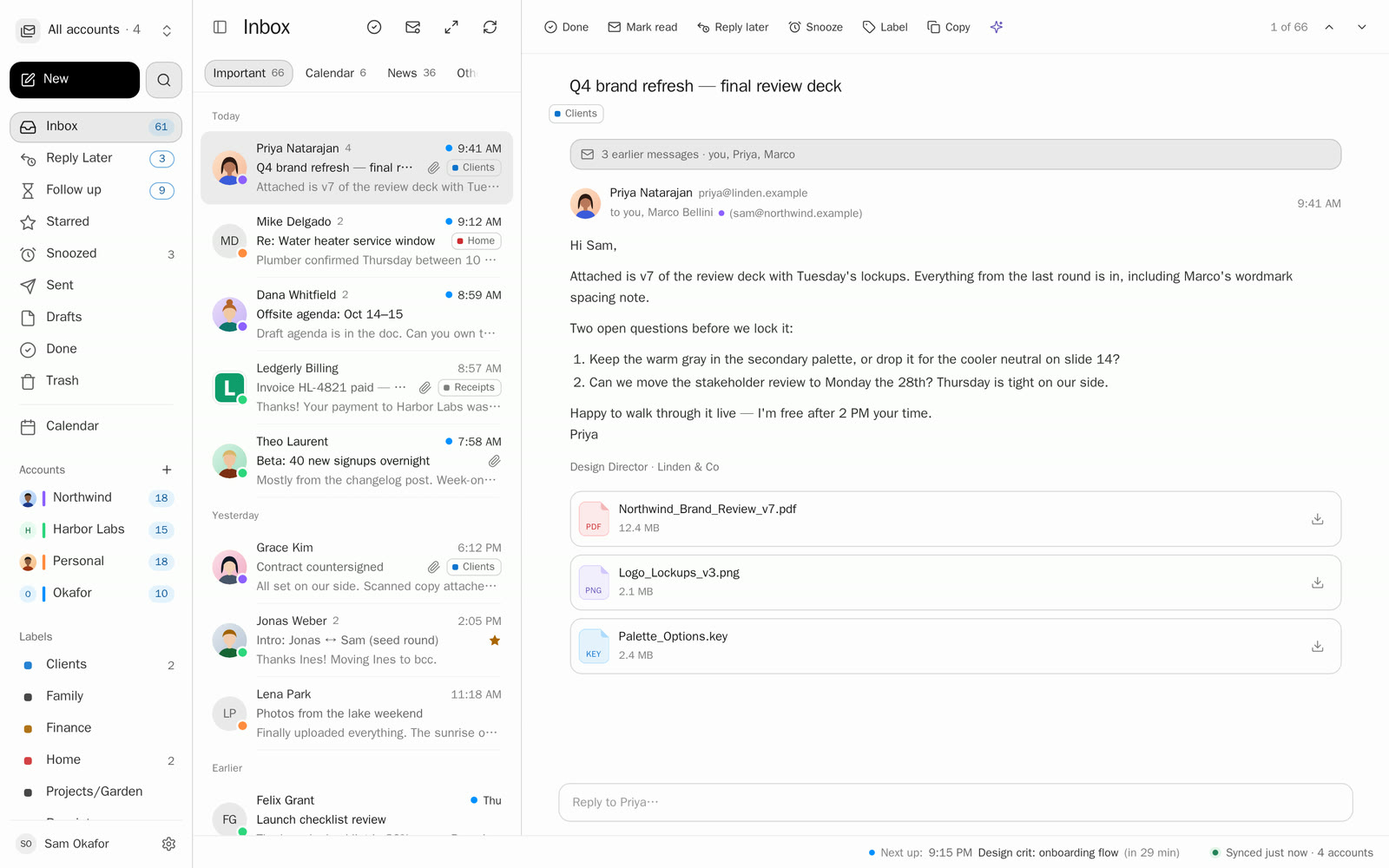
A fast, private, keyboard-first email client for the Mac. Your whole mailbox lives on your Mac, so search, triage and AI never wait on the network. Gmail and Google Workspace first, plus Outlook, iCloud, Yahoo, Fastmail and any IMAP server.
- Local-first
- On-device AI
- No Penguin servers
- Source on GitHub
Why Penguin
01Fast
Every key press is answered from a local database. Searching 300,000 messages takes a few milliseconds, and archive, label and snooze change the screen in the same frame as the key.
Search that finds it
Gmail’s operators, typo tolerance, plain-English dates and search by meaning. Ask a question like “when is my flight to Lisbon?” and get the answer with the emails it came from.
Private by default
Your mail, index and AI stay on your Mac. Tracking pixels are removed, remote images wait until you ask, and email HTML is sanitized and sandboxed.
Built for inbox zero
02Keyboard-first
Gmail-style keys, a ⌘K palette with every command, and a coach that teaches you the keys as you go.
AI that stays local
Thread summaries, Write with AI and suggested replies run on Apple’s on-device model. No API key, nothing sent anywhere.
Triage tools
Split Inbox, Reply Later, snooze, follow-up reminders, snippets, send later and undo send, plus smart views for receipts, travel and packages.