Hold a key.
Talk.
Dictation and meeting notes for the Mac that run entirely on the computer. Hold a key, talk, and clean text lands in whatever app you’re in. On calls it labels who said what and writes the notes when the call ends.
- On-device
- No account, no cloud
- Meeting notes
- In-house tool
Dictation
01One hotkey
Hold Globe to record and release to stop, or double-tap to keep recording hands-free.
No clipped first word
The mic and speech engine start the moment the key goes down, so the engine is warm when you let go.
On the Neural Engine
NVIDIA Parakeet transcribes on the Mac’s Neural Engine, with a CPU fallback.
Meetings
02Notices calls
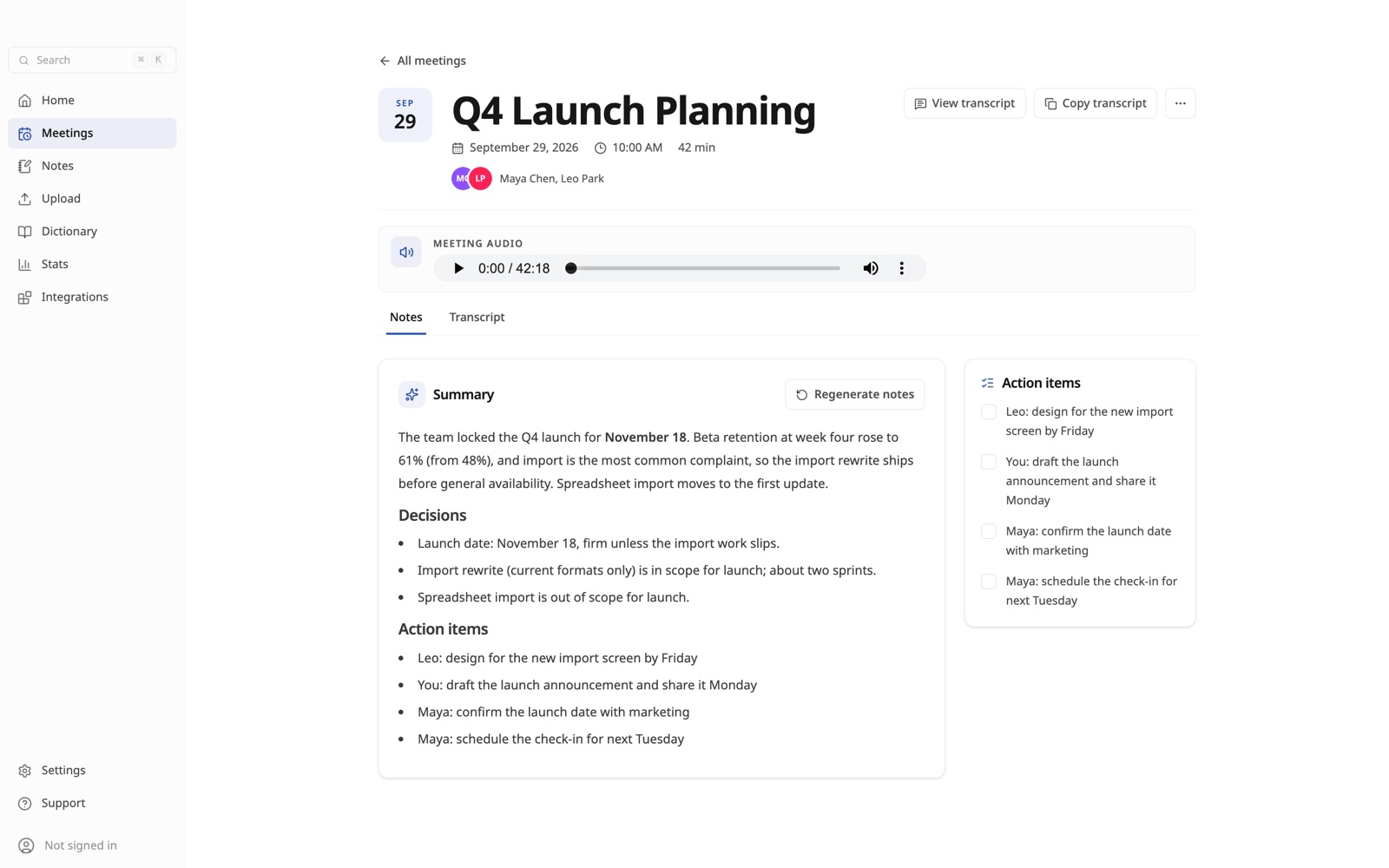
It picks up when a call starts and records it alongside your calendar.
Knows who said what
On-device speaker identification labels every line of the transcript.
Grounded notes
A summary, decisions and action items, written by a local language model when the call ends.
About
03Polarvoice is a private, in-house tool by Digital Mundo LLC for macOS and Windows, and isn’t publicly available. There’s no account and no cloud: transcription, speaker identification, search and the language model all run on the computer, and the app blocks outbound internet apart from downloading its models.
It’s built on OpenWhispr, the open-source dictation app.